The Demo OpenNHP Protected Server
Hiding Protocol
Demo video playback
Invisible by Default. Accessible Only After Verification.
Watch OpenNHP authenticate users and dynamically expose authorized resources through Login Integration Demo, Web NHP-Agent, and StealthDNS App workflows.
Live demo walkthrough
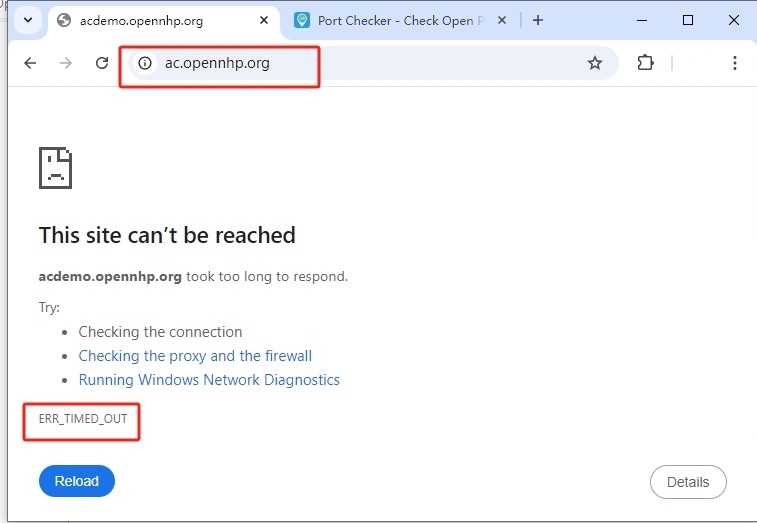
1) The Protected Server is by default "Invisible" to Unauthenticated Users
By default, any attempt to connect to the protected server will result in a TIME OUT error, as all ports are closed, making the server appear offline and effectively "invisible."
2) Port Scans Time Out — The Server Appears Offline
Port scanning the server returns a TIME OUT error and nmap reports "Host seems down" —
to unauthorized scanners, the server doesn't just look firewalled, it appears not to be online at all. Try it yourself with an online port scanner:
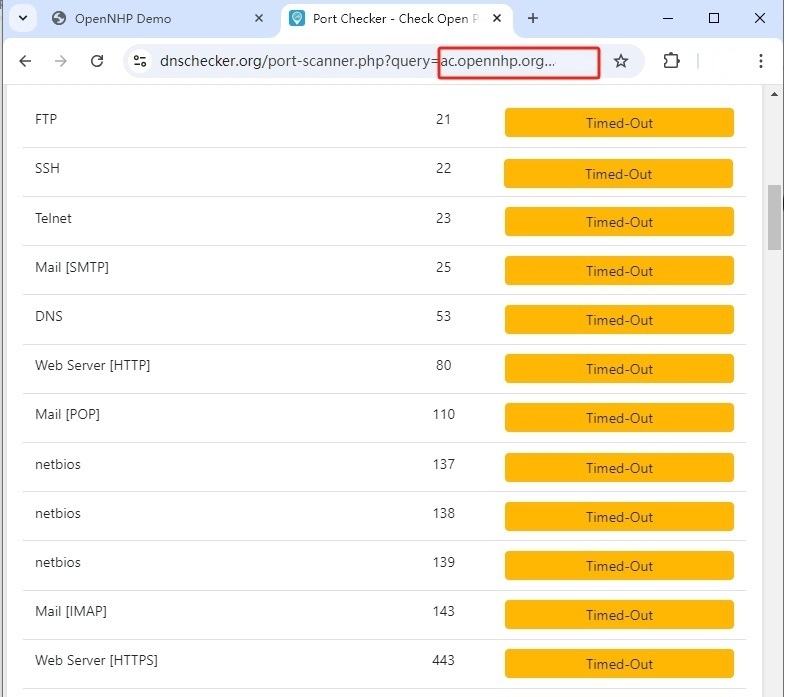
Even running nmap directly returns "Host seems down" — the server doesn't merely look firewalled, it appears not to exist at all from the attacker's point of view:
✗ 0 hosts up — nmap's host discovery itself fails, so the scanner concludes the server is offline before it ever attempts a single port probe.
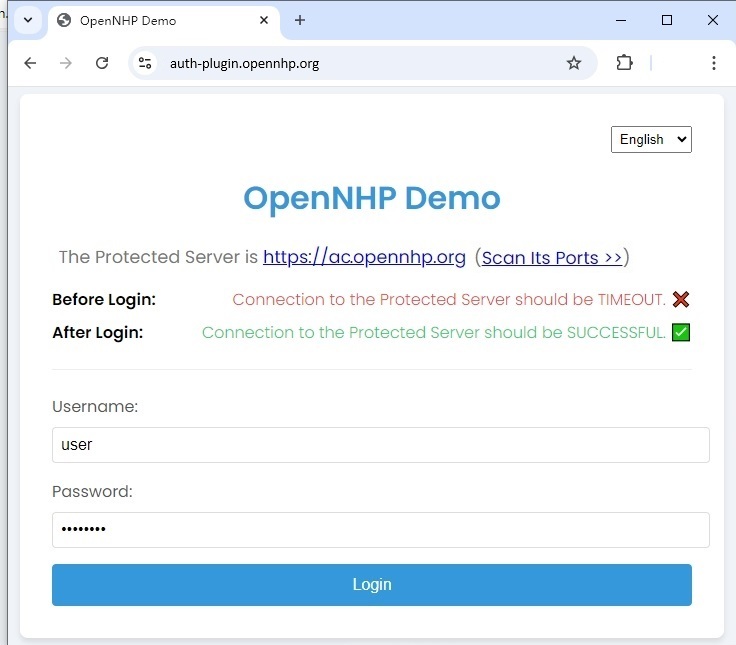
3) Authenticate with Login Integration Demo, Web NHP-Agent, or StealthDNS App
Use the Login Integration Demo or the Web-based NHP-Agent or StealthDNS App to authenticate with the NHP server. After successful authentication, you can access the protected server.
4) Access Granted After Authentication
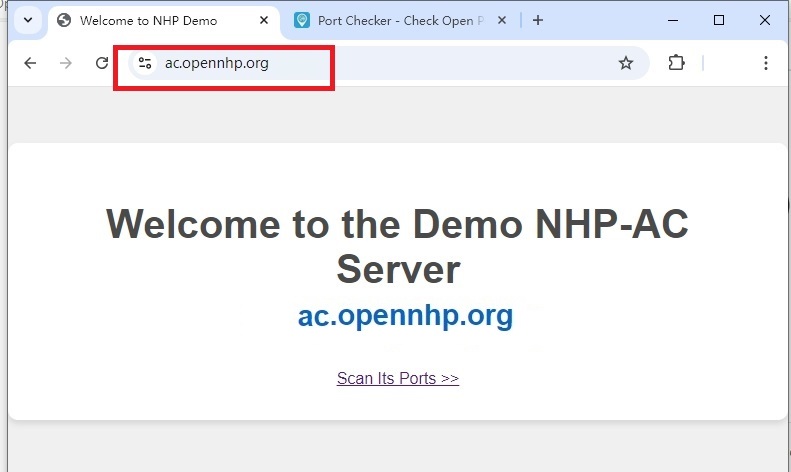
After successful NHP authentication, the protected server becomes accessible. You can now see the protected content that was previously invisible.
How the Demo Environment Is Wired #
Six hosts, four NHP roles. Click any box to view its source code.
1. demo is a login portal that integrates OpenNHP — a user signs in there, and the portal knocks on their behalf.
2. agent is the reference demo for the NHP-Agent JS SDK — a browser client that sends the knock. reg demos the registration flow with the same SDK.
3. All three reach server through relay, which translates their HTTP requests into NHP UDP messages.
4. stealth-dns is the one Agent that reaches server directly, bypassing relay entirely.
5. server is fully invisible — it exposes no surface of its own and only ever answers a valid NHP knock.
6. Once the knock verifies, server instructs ac to reveal the protected demo page — to that session only. ac stays invisible to everyone else.
Hiding Application Server Ports
Before NHP, all server ports are exposed. After NHP, they become completely invisible.
Application Server Ports Visible
$ nmap -sS -p 1-65535 server.example.com✗ All ports visible to attackers
✗ Attack surface fully exposed
✗ Vulnerable to port scanning
All Ports Hidden from Unauthorized
$ nmap -sS -p 1-65535 server.example.com✓ All ports invisible to attackers
✓ Zero attack surface exposure
✓ Only authenticated users can access
How NHP Works
The authentication-before-connection paradigm in action.
Complete Invisibility
Protected resources have no public presence. DNS returns NXDOMAIN, ports appear closed, and IP addresses are unknown. To unauthorized observers, the service doesn't exist.
Cryptographic Knock
Authorized clients send an encrypted "knock" packet using the Noise Protocol Framework. This proves their identity without revealing the service's existence to observers.
Mutual Authentication
Both client and server authenticate each other using modern asymmetric cryptography. No shared secrets, no MITM vulnerability, no replay attacks.
Time-Limited Access
Upon successful authentication, the client receives temporary access. Firewall rules are dynamically created and automatically expire, minimizing exposure.
Benchmark Results
NHP delivers high performance with minimal latency overhead.
| Operation | Throughput | Latency |
|---|---|---|
| Authentication | 10K req/s | < 100ms |
| Port Hiding | 100K req/s | < 1ms |
| DNS Resolution | 50K req/s | < 5ms |
*Tested on AWS t3.xlarge instance
Integrate OpenNHP into Your Applications
Three reference integrations: an existing login portal, a native client app, or a web app.
Login Portal Integration (Web Backend)
demo.opennhp.org is an open-source reference portal that shows how to put OpenNHP behind an ordinary login page. A user signs in as usual, the portal knocks on their behalf, and only then does the protected resource become reachable. From its source code you can learn:
- ✓ How to add an OpenNHP knock to an existing login flow
- ✓ How the portal authenticates the user, then knocks on their behalf
- ✓ How to keep the protected server invisible to unauthenticated visitors
- ✓ How to reach NHP-Server through NHP-Relay from a web backend
Client App Integration (Desktop & Mobile)
StealthDNS is an open-source example application that demonstrates how to integrate the OpenNHP SDK into native desktop and mobile applications. By studying its source code, you can learn:
- ✓ How to initialize the NHP-Agent in your application
- ✓ How to perform cryptographic knock requests to NHP-Server
- ✓ How to handle authentication and access tokens
- ✓ How to access protected resources after NHP authorization
Web App Integration (JavaScript SDK)
OpenNHP JavaScript Agent is the official SDK for integrating NHP authentication into web applications. It provides a lightweight, browser-compatible solution for web-based access to NHP-protected resources.
- ✓ Pure JavaScript implementation for browser environments
- ✓ Seamless integration with existing web frameworks
- ✓ NHP authentication flow and connection status visualization
- ✓ Works with any backend protected by OpenNHP
Ready to Hide Your Infrastructure?
Deploy OpenNHP and make your services invisible to attackers.